A Motion Picture!
This week was a really exciting shift for Discovery Park because I moved out of the “my-broken-computer” phase and back into something new: cinematics.
This week was about storytelling. How do you introduce a level? How do you guide a player’s attention before they even touch the controls? How do games use camera, lighting, and timing to tell the player what matters? How do you make a game feel like a motion picture inside the engine?
This week, I learned how Unreal Engine’s Sequencer works and created an introductory cinematic for Discovery Park.
How Do You Make a Game Cutscene Anyway?
The main goal this week was to build a short intro cinematic (about 15 seconds) that shows the level and guides the player’s attention toward the interactable lever, which is the first objective in the level.
I quickly discovered that although this seemed “simple,” it was actually rather complex. Unreal Engine’s Sequencer tool has many quirks and settings, and I needed to ensure everything was set up correctly, not to mention handling the rendering afterward!
These are the steps I followed throughout my process:
Level Sequencer
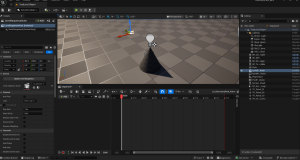
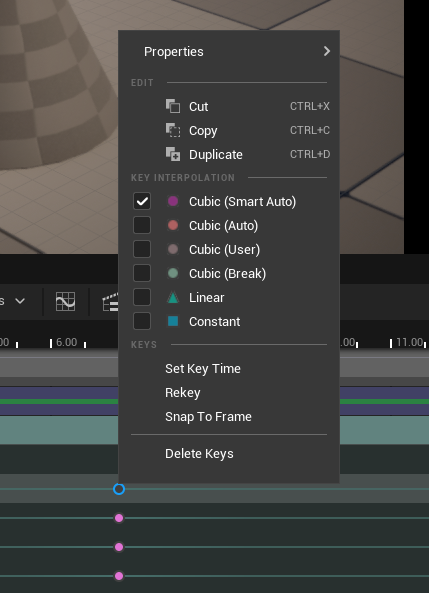
Added a CineCameraActor and Composed Keyframes
I followed this beginners shot style formula:
- Wide Shot (key-frame 1 at 0s)
- Medium Shot (key-frame 2 at 7s)
- Close/Focal Shot (key-frame 3 at 15s)
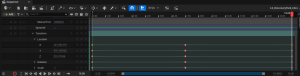
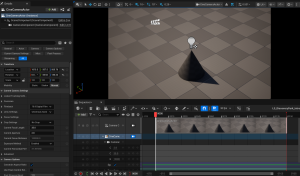
During this step I established the keyframes for each shot by placing them in the Transform track on the CineCamera timeline. To ensure smooth flow between them I utilized key interpolation settings (i.e. ease-in and ease-out)
Adjust Camera Focal Points, Aperture, and Focal Length
This step was like fine-tuning for the camera to make the scene more cinematic.
Focal length controls how zoomed in the camera is and changes the perspective (like a real lens).
Aperture controls the background blur.
Manual Focus Distance ensures the blur is set correctly and does not look weird!
The Take Recorder
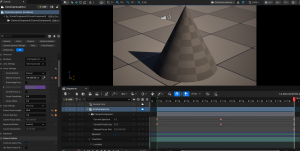
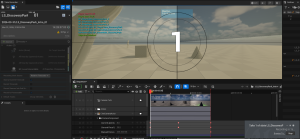
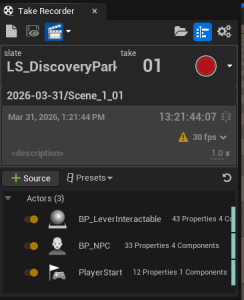
The biggest challenge of the Sequencer tool was the Take Recorder Tool. This tool, as the name implies, allows you to record footage in the editor of your scene while interacting with it (either in Play mode or not) and keep the recording as a take or footage in the Level Sequence asset.
This tool took me some time to learn how to use properly. I needed to set up the proper assets to be tracked during the recording, how to set up a take, how to record in Play mode, as well as how the footage should be captured and stored in my Content browser/Sequencer.
Debugging Sequencer Issues with the Movie Render Queue
As I went to render the cinematic I recorded as an asset out of Unreal Engine, I realized that the render was using the player camera, not the CineCamera. This was a major issue because the CineCamera is what was set up to follow the wide/medium/close shots. The render using the player camera ignored that beautiful cinematography and instead made it simply look like it was a recording of play in editor (PIE) mode.
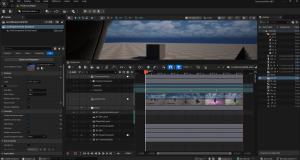
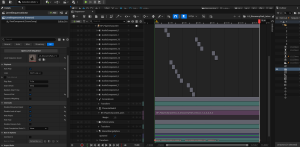
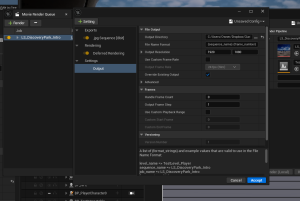
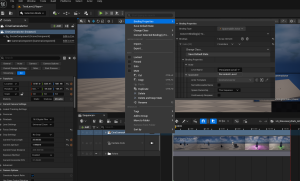
The issue turned out to be that the Camera Cuts section (which had the footage from the Take Recorder) were not bound to the CineCamera, they were separate. This meant that the CineCamera camera was overridden by the Camera Cuts player camera.
I only discovered this by semi-accident (lots of clicking around). It makes sense now that I realize why that happened and why binding it fixed the issue, but this took me awhile to figure out.
Movie Render
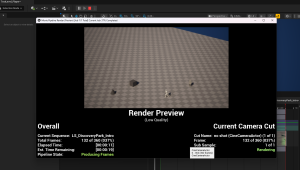
Finally after figuring out this issue I was able to properly render the cut-scene!
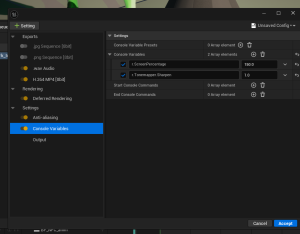
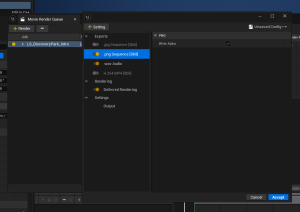
Rendering is not as simple as hitting an export button, and it took me several tries and different setting adjustments to export something that was not grainy quality with audio actually attached.
Play the Trailer!
This week had a lot of small technical hurdles, especially with Sequencer, but by the end of the week I had a fully rendered cinematic!
It is not particularly spectacular, BUT it is a cinematic fully filmed and rendered in Unreal Engine! This was a gap in my Unreal Engine knowledge that I was very curious about, and although it had a learning curve, I am glad I went through it.
Now I have a new respect for the people who make cutscenes in games-they are not easy and are certainly a technical art form!
Until next time,
~Lauren
