Giving the World a “Mind“…It’s ALIVE!!
Up until this point in Discovery Park, everything responded to the player.
Milestone 3 Week 5 was the moment the world began to act on its own.
The goal was not just to make an NPC that could move. It was to build a classic game AI system that could patrol, react, interrupt itself, and make decisions based on changing conditions.
Could I architect an NPC that behaves like a system rather than a scripted prop?
First Things First…Git Your House in Order!
Infrastructure Before Intelligence
Before touching behavior, early on I knew that Week 5 was the time to harden the project itself.
Why? Game assets can be GIANT.
Unreal projects balloon in size quickly, and I knew this Milestone would begin to introduce large game asset files (like skeletal messes of 3D models for the NPC and player). Also, animation and audio were coming in Week 6.
Turning on LFS now prevented future repository corruption and avoided painful cleanup. Enabling my repository to handle these files early was key.
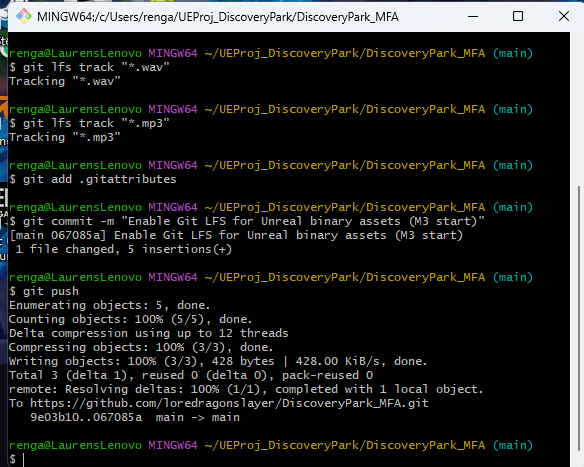
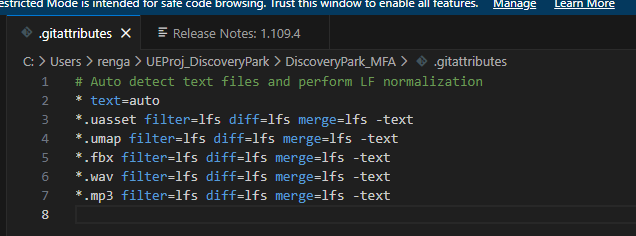
I enabled Git LFS (Large File Storage) and configured it to track large Unreal asset types:
.uasset, .umap, .fbx, .wav, .mp3This was not flashy work (though I felt fancy typing commands into Git Bash). It was preventative architecture.
Making that NPC Behave
From Cylinder to Character
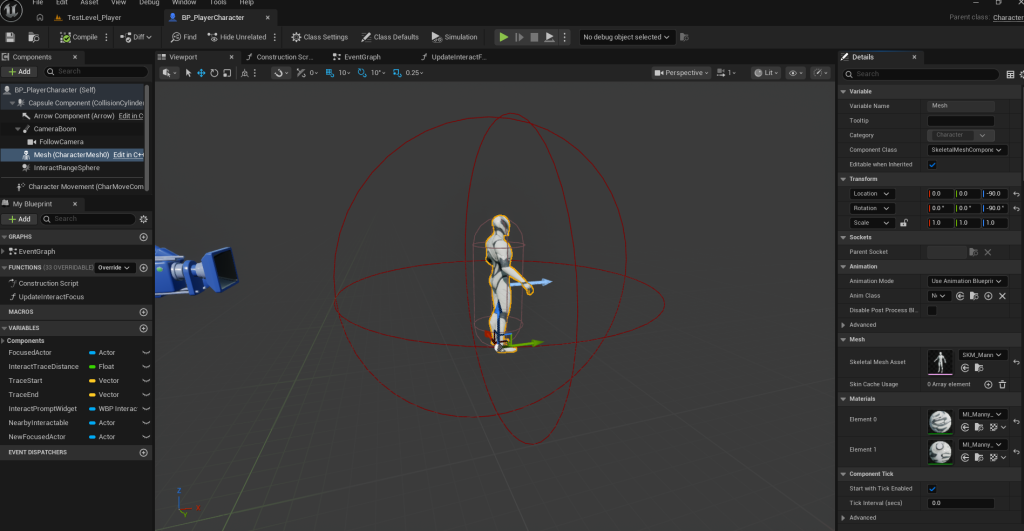
With the repository reinforced, I replaced placeholder geometry with real skeletal meshes. I chose to use Unreal Engine’s character model “mannequins” Manny and Quinn.
Manny became the player.
Quinn became the NPC.
I adjusted their transforms early (Z offset and Yaw rotation) to avoid animation alignment issues later. I also stripped away unnecessary template content to prevent architectural clutter.
Navigation: Movement Before Meaning
Before behavior trees, before sensing, before reactions, I needed to validate navigation.
To do this I placed a NavMeshBoundsVolume, which defines areas in the level where navigation is possible.
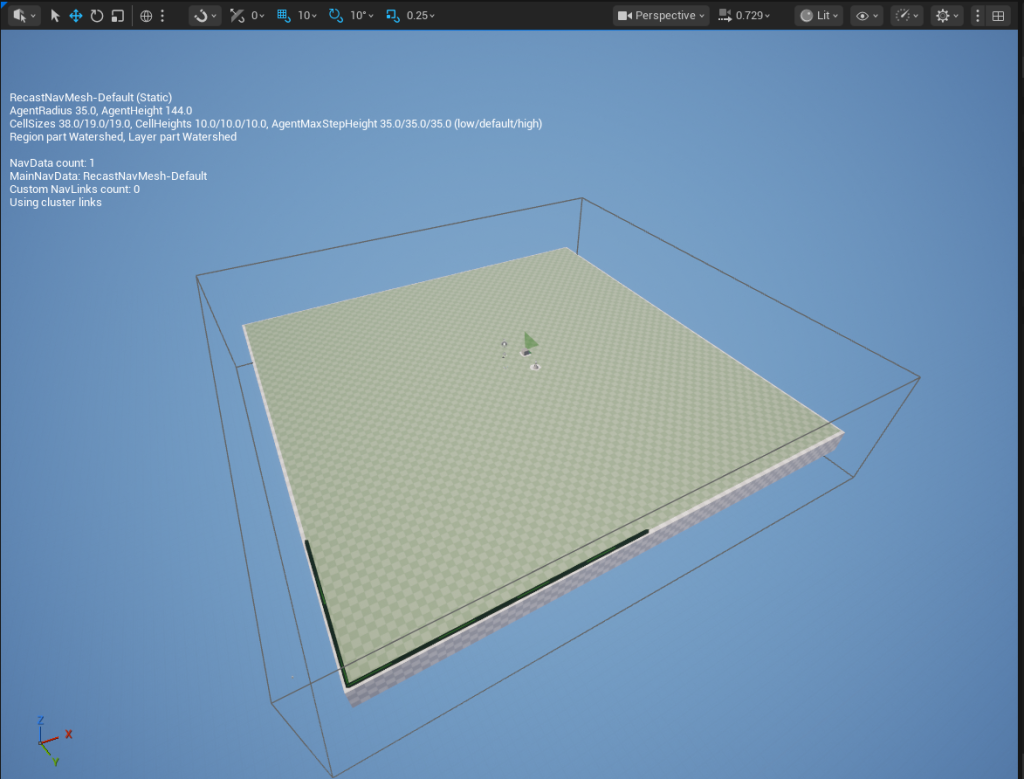
For testing, I visualized it with the “P” key, created a Character-based NPC Blueprint, and separated logic into an AIController.
I confirmed AI MoveTo worked using a TargetPoint.
Only after verifying clean movement was I clear to introduce decision logic. Debugging movement and debugging intelligence at the same time? I have learned, that’s chaos!
Blackboard + Behavior Tree: The Structural Leap
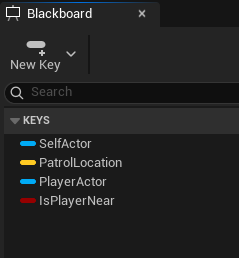
Next came the real architectural leap. I created a Blackboard to hold shared AI state:
- PatrolLocation
- PlayerActor
- IsPlayerNear
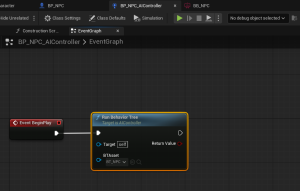
Then I built a Behavior Tree and ran it through the AIController on the event BeginPlay.
Instead of embedding logic directly in the pawn (because as we learned last Milestone, bottle-necking = bad design), I separated:
- Memory (Blackboard)
- Decisions (Behavior Tree)
- Execution (Tasks)
- Movement (Character)
Patrol → React → Resume
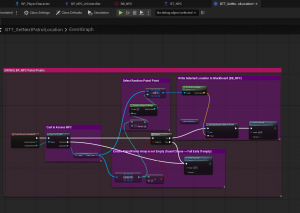
The NPC now patrols three TargetPoints using a custom BTTask that selects a randomized waypoint. A guard ensures the array isn’t empty. (I learned the hard way that forgetting “Finish Execute” halts the tree silently. That was fun.)
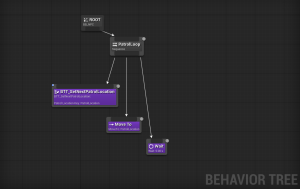
Then came the real conceptual leap: priority switching. *GASP*
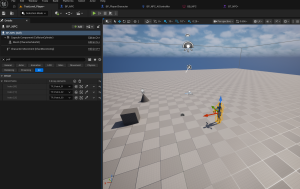
I wanted the NPC to perform a reaction behavior when detecting the player through a Proximity Sphere. I decided a simple “stop and turn to face the player” would be both clean and effective.
My logic to do this was adding a Selector at the root (in the Behavior Tree) that allows ReactToPlayer to override PatrolLoop.
Using Blackboard decorators with Observer Aborts set to Both, the NPC immediately interrupts patrol when the player enters proximity.
Instead of polling distance every frame, I added a ProximitySphere component and used overlap events to update Blackboard values.
When the player enters:
- IsPlayerNear = true
- PlayerActor reference stored
When the player leaves:
- IsPlayerNear = false
- Reference cleared
Since the Behavior Tree listens to Blackboard changes, the AI reacts automatically.
That single configuration setting made the system feel alive!
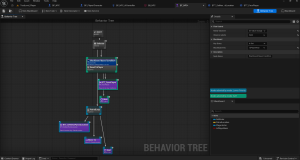
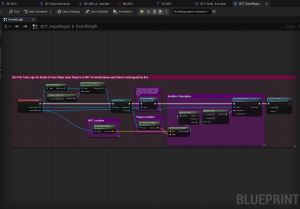
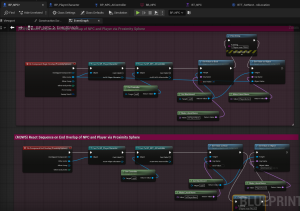
The Result of All This (Very Organized) Spaghetti
The NPC now:
- Patrols autonomously
- Interrupts patrol immediately
- Stops movement
- Rotates to face the player (Yaw-only)
- Resumes patrol when the player leaves
Week 5 wasn’t about “making an NPC move.” It was about learning how Unreal structures intelligence. It’s not a bundle of Blueprint wires. It’s a layered system:
A controller that owns behavior.
A memory space that tracks state.
Reusable tasks that execute actions.
Clear rules for what takes priority.
That foundation means Week 6 (animation blending and audio) can layer on top without rewriting core logic!
A Moment to Reflect
This entire project so far has forced me to learn to think in systems rather than events. In states rather than sequences. In layered architecture rather than quick fixes. How, where and why game logic is constructed.
Now that this project is almost halfway done, I can say with confidence that I am learning so much!
Discovery Park is about filling in missing bricks.
Classic game AI was one of mine. Week 5 forced me to slow down and structure intelligence properly: separating memory, decisions, and execution instead of letting everything live in one Blueprint.
And for the first time in this project, the world didn’t wait for the player…
It watched.
Until next time,
~Lauren
