This is Your Objective!
After building the player foundations in Milestone 1, it was time to move beyond isolated systems and begin shaping Discovery Park into something that resembles a real game.
Up to this point, the project proved that a player could exist, move, and interact with the world. Milestone 2 shifted the focus toward what happens after interaction. How systems communicate, how the player receives feedback, and how the game tracks progress over time.
In other words, this milestone was about building the core gameplay loop:
explore → interact → feedback → progressThis loop needed to ensure the architecture beneath it could scale without collapsing under its own complexity.
How Does One Architect an Objective Anyway?
Week 3: Gameplay Architecture
To support a real gameplay loop, I needed to begin structuring the project using Unreal’s gameplay framework as intended (or at least that’s what I had been reading in Unreal Engine documentation).
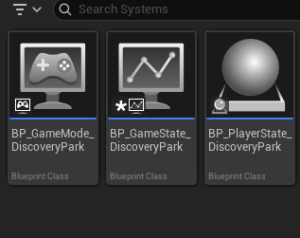
This meant clearly separating responsibilities across:
- GameMode: defines the rules and initial setup
- GameState: (the single source of truth!) stores shared, authoritative game data
- PlayerState: placeholder for player-specific progress
I needed to avoid the “rookie mistake” of bottle-necking all my logic in the PlayerCharacter.
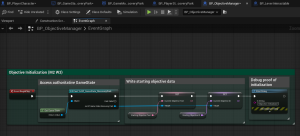
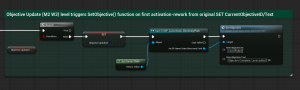
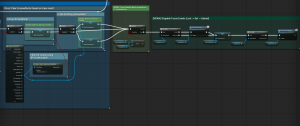
Rather than allowing objectives to live inside individual actors or UI elements, I centralized them in GameState, establishing a single source of truth for game progression. I also introduced an Objective Manager to initialize objectives externally. This prevents core classes from hard-coding progression logic and keeps the system flexible for future expansion.
This architectural shift may not be visible to the player, but it fundamentally changes the project’s stability. Systems no longer operate in isolation; they communicate through a shared structure, reducing the risk of refactor chaos as the project grows!
Week 4: Making Progress Visible
With my underlying architecture in place, the next step was ensuring the player could see and understand their progress. HUD objective updates, audio feedback, and “highlighting” of objects.
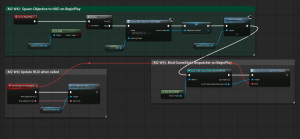
To accomplish this (like I read the professionals do), I implemented an Objective HUD widget created and owned by the PlayerController. The purpose of this was to reinforce the principle that the controller manages the player’s UI layer rather than embedding UI logic inside the character. In other words…no bottle-necking.
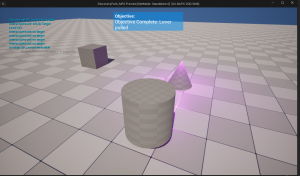
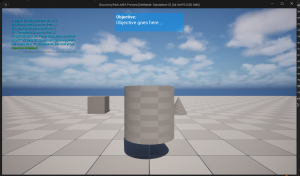
The HUD displays the current objective and status feedback (once the objective is met!), completing the gameplay loop:
- The player explores
- The player interacts
- The game responds
- The player sees progress
The feedback I implemented was:
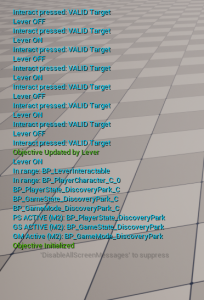
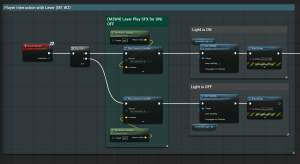
- The interactable objects (my “lever” and cube) light up when the player trace-camera detects that they are in range and able to be interacted with.
- The player hears the “lever” turn on and off when interacted with,
- The player hears a positive sound when the objective of turning the lever on is met
- The HUD updates its objective text.
The Happy Results of Milestone 2!
By the end of Milestone 2, my Discovery Park now has:
- A structured gameplay architecture separating rules, shared state, and player logic
- Centralized objective tracking in GameState as a single source of truth
- External objective initialization for flexibility and scalability
- A player-facing objective HUD that provides clear feedback
- A confirmed explore → interact → feedback → progress gameplay loop
- A stable framework ready for more complex systems and interactions (Milestones 3, 4, and 5)
This milestone marks the point where the project shifts from a technical prototype to a cohesive gameplay framework.
Until next time,
~Lauren
